Official Blog
Built in the cloud. Engineered for your enterprise.
The Horns are hooked: UT Austin has gone Google
Friday, November 4, 2011
Posted by Rich Rao, Director, Global Sales and Operations, Google Enterprise
Apparently it’s not enough for The University of Texas at Austin to give its alumni degrees anymore; now, the University’s 450,000 graduates (and 50,000+ current students) are also getting free
email addresses for life
. As a Longhorn alum and member of the
Texas Exes
, I’m thrilled to have the privilege of announcing that my alma mater is now offering
Google Apps for Education
.
Driven by the desire for better communication and collaboration capabilities, the student body petitioned for an upgraded email system. The university used the state-mandated procurement process to make its selection as it assembled a task force consisting of representatives from across campus to evaluate possible vendor solutions. After thorough review by two subcommittees, we’re proud that Google emerged as the top choice.
The University of Texas at Austin joins more than 15 million other students, faculty and staff who are part of the Google Apps for Education family. We’re thrilled to work with the Longhorns to make their launch a big success.
And I personally can’t wait to start using my alumni account.
US Holocaust Memorial Museum completes transition to Google Apps in 90 days
Wednesday, November 2, 2011
Posted by Joe Kraus, U.S. Holocaust Memorial Museum
Editors note:
Today’s guest blogger is Joe Kraus, the Chief Information Officer of the United States Holocaust Memorial Museum, which opened in 1993 as a result of legislation unanimously passed by the U.S. Congress. The Museum’s employees went live with Google Apps for Government this Tuesday.
A living memorial to the Holocaust, the
United States Holocaust Memorial Museum
inspires citizens and leaders worldwide to confront hatred, prevent genocide and promote human dignity. Federal support guarantees the Museum’s permanent place on the National Mall, and its far-reaching educational programs and global impact are made possible by the generosity of donors nationwide.
To fulfill this mission, the Museum employs technologies that promote online collaboration for its teaching programs and uses crowdsourcing to expand and make more accessible its collections relating to Holocaust survivors and victims. Our migration to Google Apps will enable closer collaboration with teachers, universities and institutions that are engaged in teaching the lessons of the Holocaust, preventing genocide and conducting research on Holocaust history.
This week, the Museum launched
Google Apps for Government
for our 500 staff and support personnel. We chose Google Apps because of its ease of use and extensive collaboration and sharing capabilities. Our educators in Holocaust programs will use Google Docs to support online development of lesson plans. Our researchers and scholars will use Google Apps to develop their material on Holocaust history and the lessons learned. The general public, youth groups and teachers will be able to easily register for our many programs using Google Forms. Our staff will use Google Sites to collaborate on the multitude of cross- departmental programs and projects that we run each year to advance Holocaust understanding.
Our transition to Google went very well. We conducted a three-month pilot with staff from across the Museum followed by a three-month transition period. Our final switchover was done overnight on October 31. The transition required a rigorous communications and training program, with about 70% of our staff participating in classroom and webinar training led by our project integrator,
Onix Networking
. One of the key aspects that enabled our smooth transition was the identification of “Google Guides,” people from across the Museum who volunteered to help their colleagues with the new Google Apps environment. Now that we are in the cloud we will be able to take full advantage of a dynamic ecosystem of new functionality that continues to provide our employees new and innovative ways of doing the important work of the Museum with very little additional support required from my IT team.
The Museum's Google Guides mark Tuesday’s switchover.
Introducing the Gmail app for iPhone, iPad and iPod touch
Wednesday, November 2, 2011
(Cross-posted from the
Official Gmail Blog
and the
Official Google Mobile Blog
.)
Posted by Matthew Izatt, Product Manager
Update: 11/16/11 On 11/2 we launched a new Gmail app for iOS but after finding a bug removed the app from the App Store. Starting today, the Gmail app is now
available again
.
Waiting. Walking. Watching TV. Working out. Winding down. Waking up. We check email pretty much everywhere these days. And when we do, we want easy access to our important messages so we can respond quickly and get back to life -- or slinging birds at thieving green pigs.
With that in mind, we’ve created
a new Gmail app for iPhone, iPad, and iPod touch
. We’ve combined your favorite features from the Gmail mobile web app and iOS into one app so you can be more productive on the go. It’s designed to be fast, efficient and take full advantage of the touchscreen and notification capabilities of your device. And it’s one more reason to
switch to Gmail
.
Speed
We want to give you the information you need quickly, with minimal effort and distraction. So we’ve included some time-saving features:
Get alerted to new messages with push notifications and sounds
Find an email in seconds with search across your entire inbox
Autocomplete email addresses from your Gmail contacts or select from your device’s address book
Upload photos with a click using the new attachment button in compose view
On iPad, navigate your inbox and read your mail simultaneously with split view
Upload photos
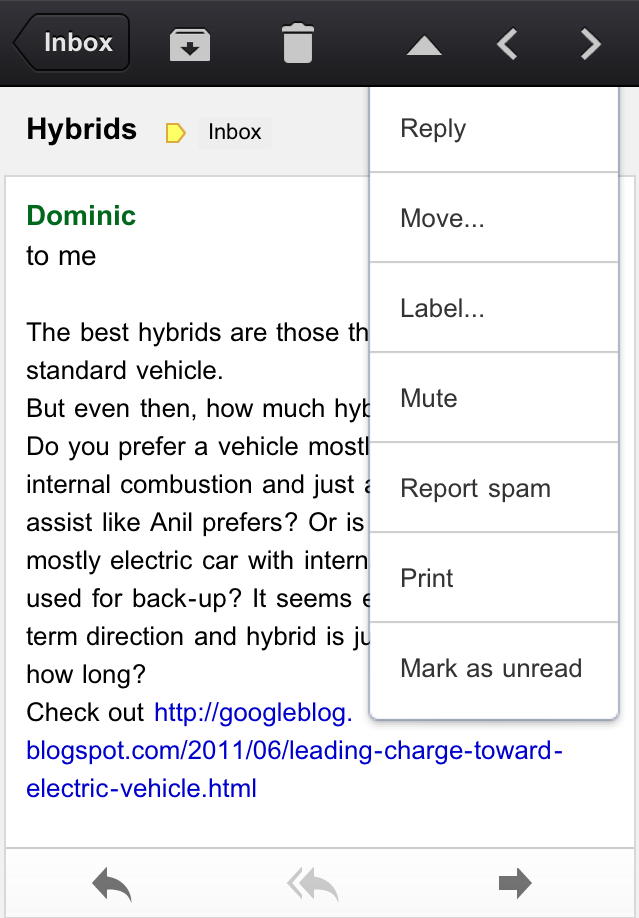
Reply, move, label and more
Efficiency
Our inboxes overflow with dozens and even hundreds of messages a day—and this can be even more challenging on a smaller screen. The new Gmail app helps organize your mail so you don’t have to go wading through your inbox to find that key message from your boss or loved one:
Focus on your important messages first with Priority Inbox
Quickly scan countless emails on the same subject with threaded conversations
Organize your mail by archiving, labelling, starring, deleting and reporting spam
Threaded conversations on the iPad
Touch
We’ve also optimized the interface so you can perform common actions in Gmail with the lightest touch:
Pull down your inbox to rapidly refresh if you’re eager for new mail
Swipe right to view your labels without ever leaving your inbox
Swiftly scroll through dozens of emails just by sliding your finger
Pull down to refresh
Swipe right to view labels
We hope the Gmail app makes checking email on the go a little easier. It is available in the
App Store
today and works on all devices running iOS 4+. For more information, check out our
help center
.
Go Blue, go Google
Wednesday, November 2, 2011
Posted by
Dave Girouard
, Vice President of Product Management
(Cross-posted from the
Official Google Blog
)
I’m one of hundreds of University of Michigan alumni currently working at Google. So is
this guy
. I’m proud to have a degree from U-M—and that we made it to two Rose Bowls and one Final Four during my time there. But I’m even more proud that today we’re welcoming my alma mater to the
Google Apps for Education
family. By providing our cloud services to the entire university community, we’ll continue to build on the strong relationship that Google and the University of Michigan have had for many years. Many other alums—especially in our
Ann Arbor office
—are just as excited as I am:
Over a year ago, the University of Michigan (U-M) announced a new IT strategy known as
NextGen Michigan
, a plan to upgrade technology across the campus. Laura Patterson, U-M’s Chief Information Office, told us the switch to Google is just one of many projects that will make up U-M’s multi-year strategy for changing the approach to IT service and investing more heavily in technologies that will advance the university’s academic, teaching, research and clinical programs. She said: “Adopting Google Apps for Education will help support U-M’s leadership in teaching, learning and discovery, as well as improve collaboration across campus.”
As their first order of business, U-M kicked off a project to select a unified messaging and collaboration platform to help consolidate the more than 40 email and calendar tools which currently service about 90,000 students, faculty and staff. After a review process that included townhall meetings and a campus survey, the university’s IT steering committee overwhelmingly recommended Google Apps for Education as U-M’s preferred provider.
In addition to the suite of products in Google Apps for Education, U-M also plans to use
APIs
to build rich integration with existing campus services and encourage increased collaboration.
Hail to the Victors
—The University of Michigan is going Google!
Cloud Computing and Internet Governance
Monday, October 31, 2011
Posted by Patrick Ryan, Policy Counsel, Open Internet and Sarah Falvey, Sr. Policy Analyst
We recently returned from the Internet Governance Forum (
IGF
) in Nairobi, Kenya with
Vint Cerf
and several others to talk about the future of the Internet, with more than 2,000 representatives from 125 governments, civil society, academia, and private industry in attendance. We hosted a panel on
Putting your Trust in the Clouds
, and we participated in other workshops and showcased our
economic studies
on the value of the Internet to economies worldwide. The IGF isn’t just a conference; it was set up by the
United Nations
as the primary place for governments, civil society and the private sector to discuss the future of the Internet.
This year, one of the hottest topics was cloud computing. Attendees increasingly showed an understanding that the “cloud” and the Internet are intertwined -- changes to one ultimately impacts the other. We recently detailed the same principles discussed at IGF in a
paper
presented to the Telecom Regulatory Authority of India, where we also outlined some principles for cloud regulation.
We're encouraged that participants at the IGF are increasingly realizing that regulation of the cloud and regulation of the Internet are essentially the same thing. After all, cloud computing involves almost any two-way interaction between users and computers, and it's virtually impossible to regulate cloud computing without regulating the Internet itself. Legislation in any country that takes a one-size-fits-all approach to the cloud (and thus, the Internet) is not the solution. A lighter touch can help promote innovation while allowing users to take advantage of reduced costs.
A Silicon Valley Story: JobFlo has gone Google
Friday, October 28, 2011
Posted by Jim Ambras, Founder and CEO of JobFlo
Editor’s note:
Today’s guest blogger is Jim Ambras, founder and CEO of JobFlo (previously NotchUp). JobFlo helps small to medium-sized businesses recruit top talent through its free social-media recruiting platform. See what other organizations that have gone Google
have to say
.
JobFlo
came into existence to address a problem I’d dealt with for over 14 years—how to find and recruit top talent who may not be actively seeking a job. I wanted to provide employers with a creative new way to reach happily employed people without resorting to the same traditional recruiting methods. This desire has led us to provide employers with a free recruiting platform that taps into the power of social networking sites.
I started JobFlo three years ago knowing we would take full advantage of cloud computing technologies and not be tied to a traditional business model that required servers and lots of IT complexity. I knew our business model was viable and was more concerned with how to set up and run a streamlined, efficient company. Having served as Vice President of Engineering for a bunch of start-ups, I knew setting up an infrastructure for our business ourselves could be really difficult and time-consuming. In previous jobs, I would often spend my days engineering and my nights managing our IT. Starting my own company, my first rule of business was that any communication and collaboration solution we used would not rely on in-house servers.
And with that, all the problems I had had before went away. With
Google Apps
, IT was one less thing we had to worry about, and it just worked and worked well. We had high email quotas, great spam-filtering, and real-time collaboration. It was really important that we had a good infrastructure for collaboration. As a company with four employees all working from home, the ability to share and work together online was critical.
While we started with Gmail and Google Docs, we have since included the use of many other tools such as Google Voice and apps from the
Google Apps Marketplace
. We have adopted tools such as
FreshBooks
for invoicing and
MailChimp
for email marketing. JobFlo is doing great, and we’ll be integrating even more of Google’s product suite into our business as we continue to grow.
Google+ is now available with Google Apps
Thursday, October 27, 2011
Posted by Ronald Ho, Product Manager
Google Apps fans, today we’re ready to add you to our circles.
Google+
makes sharing on the web more like sharing in the real world, and now Google+ is available to people who use
Google Apps
at college, at work or at home.
Starting now you can manually
turn on Google+ for your organization
. Once Google+ is turned on, your users will just need to sign up at
google.com/+
to get started. For customers who use Google Apps for Business or the free version of Google Apps and who have chosen to automatically enable new services, Google+ will automatically become available to all of your users over the next several days.*
Google Apps users will have access to the
same set of features
that are available to every Google+ user, and more. In addition to sharing publicly or with your circles, you’ll also have the option to share with everyone in your organization, even if you haven’t added all of those people to a circle.
Google+ at home, at work and at college
You use Google Apps in lots of different ways, and we expect the same for Google+. Apps users from artists to doctors to parents to students to teachers have told us that they are ready to join the 40 million people already sharing on Google+.
Circles
is a great way to share relevant content with the right people. With Circles, your photography crew doesn’t have to get an update about your morning workout, your triathlon team doesn’t have to see all your thoughts on the latest camera gear, and your project teams can be kept separate from all of this.
Hangouts with extras
, which combines multi-person video chat with screen sharing and collaboration in Google Docs, lets you work together on projects even when your team can't be in the same room. Whether you’re out of town, working on a project with a distributed group, or just don’t feel like walking to the next building for your meeting, Hangouts with extras can give your team the productivity boost it needs.
Google+ coming to a campus near you
Many students and teachers have sent us their ideas about how they can
use Google+ to teach, learn, work, and play
. These are a few Google Apps for Education universities from around the world that are bringing Google+ to their campuses today:
Abilene Christian University
American University in Cairo (Egypt)
Arizona State University
AT Still University
Boise State University
Central Piedmont Community College
Dublin City University (Ireland)
ESSEC Business School (France)
Leeds Metropolitan University (United Kingdom)
Loughborough University (United Kingdom)
Saint Louis University
Strathmore University (Kenya)
Universidad Panamericana (Mexico)
University of Ferrara (Italy)
University of Maryland Baltimore County
University of Minnesota
University of Notre Dame
University of Pavia (Italy)
University of Portsmouth (United Kingdom)
University of Washington
Vanderbilt University
Wake Forest University
Just the beginning
For those of you who’ve already started using Google+ with a personal Google Account and would prefer to use your Google Apps account, we’re building a migration tool to help you move over. With this tool, you won’t have to rebuild your circles, and people who’ve already added you to their circles will automatically be connected to your new profile. We expect this migration option to be ready in a few weeks, so if you’d like, you can go ahead and get started with your Apps account today and merge your connections once the tool is available.
It took more technical work than we expected to bring Google+ to Google Apps, and we thank you for your patience. This integration is just the beginning. We’ll continue to add features and improve the way that Google+ works with Google Apps, and we encourage you to
share your ideas
.
* Google+ requires Picasa Web Albums for photo sharing and Google Talk for chat, so if these services are not enabled then Google+ will not automatically become available, even if your domain has chosen to automatically enable new services. The option to automatically enable new services is controlled in the Domain settings tab of the administrator control panel. More information about using Google+ with Google Apps is available in the
Help Center
.
Update: For Google Apps for Education customers, we're starting with higher ed institutions and are looking into making Google+ available to K-12s at some point in the future.
Update 2: The Circles migration tool referenced in this post is now live at
google.com/takeout
. You can learn more about how to use the tool in the
Help Center
.
Labels
#innovationupgrade
#InspireGirls
#moregoogleapps
#SysAdminDay
#tbt
#throwbackthursday
#top10trust
100% web
50states
ad contest
add-ons
admin
Admin console
admin sdk
AirPlay
Android
Android for Work
Android for Work Live
Android Marshmellow
Android Nougat
Android security
Android security tips
Apps Adventures
apps script
apptuesday
Armed Forces Day
Asia Pacific
Atmosphere Live
Audi
Audi Connect
audit
Australia
big data
Big Query
bigquery
Boston
browser
Chomebox for Meetings
Chrome
Chrome Device Management
Chrome digital signage
Chrome for Business
Chrome for Work
Chrome Frame
Chrome OS
Chromebit
Chromebooks
Chromebooks for Business
Chromebooks for Education
Chromebooks for Work
Chromebox for digital signage
Chromebox for meetings
Chromebox for signage
Chromeboxes
Chromecast
City 24/7
Classroom
Clearing Kosovo
Cloud
cloud computing
cloud computing gonegoogle
cloud computing gonegoogle Google Apps
cloud computing gonegoogle Google Apps google docs small business success story
cloud computing gonegoogle Google Apps google docs small business success story switch
cloud datastore
cloud platform
Cloud Platform Live
cloud print
cloud series
cloud services
cloud sql
collaboration
Colorado
Connectors
contacts
Control Panel
customer
customer love
Customer story
Customer support
Customer testimonial
data centers
data processing amendment
data protection
Developer
developers
Digital Learning Day
Docs
documents
DPA
Drawings
Drive for Education
drive sharing
Earth
earth and maps
EC
education
Education on Air
EMC
EMM
Energy
enterprise
EU
events
FedEx
Fedex.com
Finance
Firebase
Forms
franchises
GAFE
Gartner
GE
geo
Global Partner Summit
gmail
Gone Google
gonegoogle
Google AdWords
Google App Engine
Google Apps
Google Apps Blog
Google Apps for Business
Google Apps for Education
Google Apps for Government
Google Apps for Work
Google Apps Marketplace
Google Apps Reseller
Google Apps Script
Google Apps Vault
Google BigQuery
Google Calendar
Google Calendar app
Google Certified Teachers
Google Chrome
Google Chromebases
Google Classroom
Google Cloud Datastore
Google Cloud DNS
Google Cloud Platform
google cloud storage
Google Cloud Vision API
google commerce search
Google Compute Engine
Google Doc
Google Docs
Google Domains
Google Draw
Google Drive
Google Drive for Work
Google Earth
Google Earth Engine
Google Earth Enterprise
Google Earth Images
Google Earth Pro
Google Email Security and Archiving
Google Enterprise
Google Enterprise Search
Google Expeditions
Google for Education
Google for Education Partner Program
Google for Education Training Center
Google for Entrepreneurs
Google for Work
Google for Work and Google for Education Partner Program
Google for Work partner program
Google Forms
Google Green
google groups
Google Hangout
Google Hangouts
Google I/O
Google Keep
Google Maps
Google Maps API
Google Maps APIs
Google Maps Coordinate
Google Maps Engine
Google Maps Engine Pro
Google Maps Engine public data program
Google Maps for Business
Google Maps for Work
Google Maps Gallery
Google Maps Tracks API
Google Message Continuity
google message security
Google Mobile Device Management
Google My Maps
Google My Maps Pro
Google Places API
Google Play
google play for education
Google Prediction API
Google Research tool
Google Science Fair
Google Search Appliance
Google Security Key
Google Sheets
Google Site Search
google sites
Google Slides API
Google Smart Lock
Google spreadsheets
Google Springboard
google storage
Google Storage for Developers
Google Translate
Google Vault
Google Video
Google Wave
google+
Google+ api
Google+ Communities
googlenew
government
GSA
GSA 7.0
GSA for Commerce
guest post
HALO Trust
Hangout on Air
Hangouts on Air
HEAT
hints and tips
HIPAA
Inbox
Inbox by Gmail
innovation
international trade
Internet Explorer
intranet
io2011
iOS
iPad
IT
K-12
Kubernetes
large business
MAM
manufacturing
Mapping a better world
marketplace
marketplace highlights
mashups
MCCs
MDM
medium business
migration
mobile
mobile management
model contract clauses
moms
Mother's Day
mpstaffpick
MyHEAT
NAVMAN
new features
news
Niagara International Transportation Technology Coalition
non-profit
noteworthy
offline
OpenID Connect
Parters
partner
Partner Showcase
partners
Place Summaries
Postini
privacy
product ideas
productivity
Quickoffice
Receptionist's Day
reports
Reseller
retail
RSA
Safer Internet Day
SBW2013
SBW2014
sbweek
SCCs
Search
Security
Security Key
small business
Small Business Week
Small businesses
SMB
spam and security trends
Startups
success story
support
switch
System Admin
T Dispatch
Teamwork 2015
Thanksgiving
Transport and Logistics
Trust
UK
university
University of Calgary
Updates
utilities
Veteran Owned Businesses
Veterans Day
Veterans Day 2013
Veterans Day 2014
viewpoint
VNX
wallet
webinar
webmaster
Winter
women in tech
Women's History Month
Work Resolutions
World Bank
Archive
2016
October
September
August
July
June
May
April
March
February
January
2015
December
November
October
September
August
July
June
May
April
March
February
January
2014
December
November
October
September
August
July
June
May
April
March
February
January
2013
December
November
October
September
August
July
June
May
April
March
February
January
2012
December
November
October
September
August
July
June
May
April
March
February
January
2011
December
November
October
September
August
July
June
May
April
March
February
January
2010
December
November
October
September
August
July
June
May
April
March
February
January
2009
December
November
October
September
August
July
June
May
April
March
February
January
2008
December
November
October
September
August
July
June
May
April
March
February
January
2007
December
November
October
September
August
July
June
May
April
March
February
January
2006
December
November
October
September
August
July
June
May
April
March
February
January
Feed
Google
on
Follow @gsuite
Useful Links
G Suite
Gmail
Hangouts
Calendar
Google+
Google Drive
Google Maps
Google Cloud Platform